Mireia Fernandez Cristia

Updated 4 years ago

Make your own virtual photo booth

Photo Booth does exactly what you would expect: it recreates the fun of being in a photo booth on your PC. Available for Windows 8.1, 10, and the new Windows 11

Top Recommended Alternative

Quirky filters

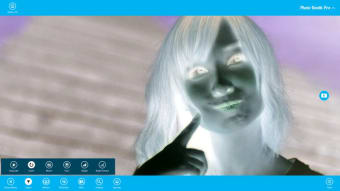
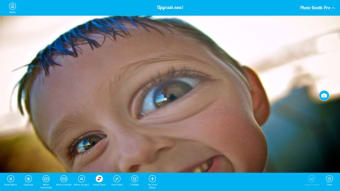
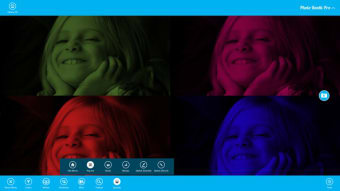
When you first download the app from the Windows 8 Store it will ask you for permission to use your webcam to create a home-based photo booth picture. From there this Windows 8 app allows you to easily apply various quirky effects to your photos before you take them. These effects include fishbowl, mirror imaging, and gray-scale.

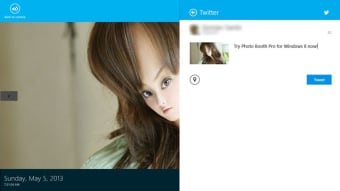
You can only apply one effect per photo, as selecting a new effect will override the previous one. All photos are saved in a gallery within the app where you can print them, set them as the lockscreen, or share via email or social media.

Nothing in life (or photo apps) comes for free

While Photo Booth is an easy-to-use and fun program you don't get much for free. There are a limited number of effects available for free; if you want more choice, and the ability to record video, you must upgrade to the Pro version.

Fun and simple

Photo Booth is an incredibly simple Windows 8 app that effectively allows you to apply neat effects before taking photos and videos. You don't get much for free, but if you're willing to pay a little extra to recreate the fun of a photo booth then this is the app for you.


Mireia Fernandez Cristia

Mireia Fernández has over a decade of experience as an editor, with a focus on software reviews, tutorials, and gaming guides. Her background in technology and long-standing passion for video games shape her clear and practical style when analyzing tools and trends.

  • Pros

    • Funny effects
    • Really easy to use
    • Useful features within the gallery
  • Cons

    • Only apply one effect at a time
 0/6

App specs

  • License

    Free

  • Version

    3.2.0.0

  • Latest update

  • Platform

    Windows

  • OS

    Windows 11

  • Language

    English

    Available languages

    • English
    • Italian
    • Chinese
  • Downloads

    86.5K

    Last month's downloads

    • 26
  • Developer

Program available in other languages


User reviews about Photo Booth Pro for Windows 10

Have you tried Photo Booth Pro for Windows 10? Be the first to leave your opinion!

Add review

You may also like

Alternatives to Photo Booth Pro for Windows 10

Explore Apps

Latest articles

Laws concerning the use of this software vary from country to country. We do not encourage or condone the use of this program if it is in violation of these laws.
Softonic

Is Photo Booth Pro for Windows 10 safe?

100/100

Score result: Clean

This file passed a comprehensive security scan using VirusTotal technology. It is safe to download.

  • Virus free
  • Spyware free
  • Malware free
  • Verified by Security Partners

    VirusTotal logo

Scan Info

Last scan
Thursday, November 9, 2023
Scan provider
VirusTotal

Softonic security commitment

Photo Booth Pro for Windows 10 has been thoroughly scanned by our advanced security systems and verified by industry-leading partners. This file comes from the official developer and has passed all our security checks, showing no signs of viruses, malware, or spyware. For more information, visit our Security and Trust Center